Adsonant vs LingQ
LingQ Alternative for Building Vocabulary
Updated
Adsonant is built for helping you capture and grow your vocabulary in a language. It’s where you keep the words you meet anywhere, in conversations, classes, shows, and signs, with translations, readings, and example sentences filled in, while LingQ is built around reading and listening inside its app. LingQ is a deep tool for learning from real content, and for some learners it’s the better choice.
The short answer
- Choose Adsonant if you want to quickly collect and review vocabulary without spending a lot of time building flashcard decks.
- Choose LingQ if you mainly learn by reading and listening, and want to import articles, videos, and books.
Adsonant vs LingQ at a Glance
| Adsonant | LingQ | |
|---|---|---|
| Best for | Building vocabulary in a new language | Reading and listening to content you import |
| Adding a word | Type a word, paste text, or take or choose a photo | Tap unknown words while reading a lesson to save them |
| Translations, readings, examples | One tap: meaning, example sentence, pinyin or hiragana, and noun articles | Choose a meaning suggested by other learners, or type your own |
| Spaced repetition | FSRS, plus review by group or recently added words | Flashcard and quiz reviews of saved words (Premium) |
| Ready-made content | None, you build your personalized collections | A library of lessons, plus content you import |
| Languages | Chinese, French, German, Italian, Japanese, Spanish | 50+ |
| Platforms | iPhone and iPad, synced with iCloud | Web, iPhone, Android |
| Price | Free for small collections, paid subscription thereafter | Free plan limited to 20 saved words; Premium subscription |
Adding a Word: Adsonant vs LingQ
Say you hear the Japanese word 木漏れ日 (こもれび, sunlight through trees) and want to learn it.
In Adsonant
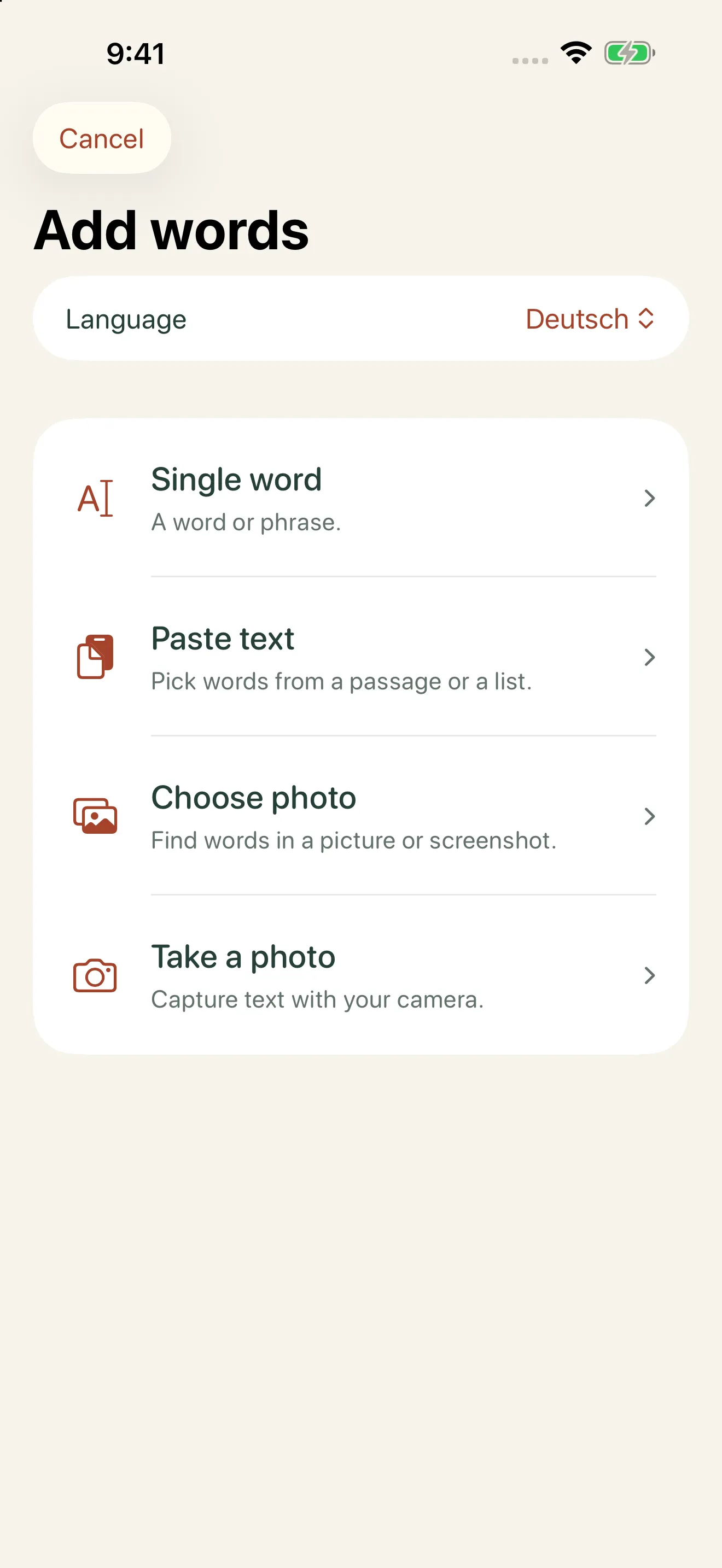
- Type the word, paste a passage, or take a photo.
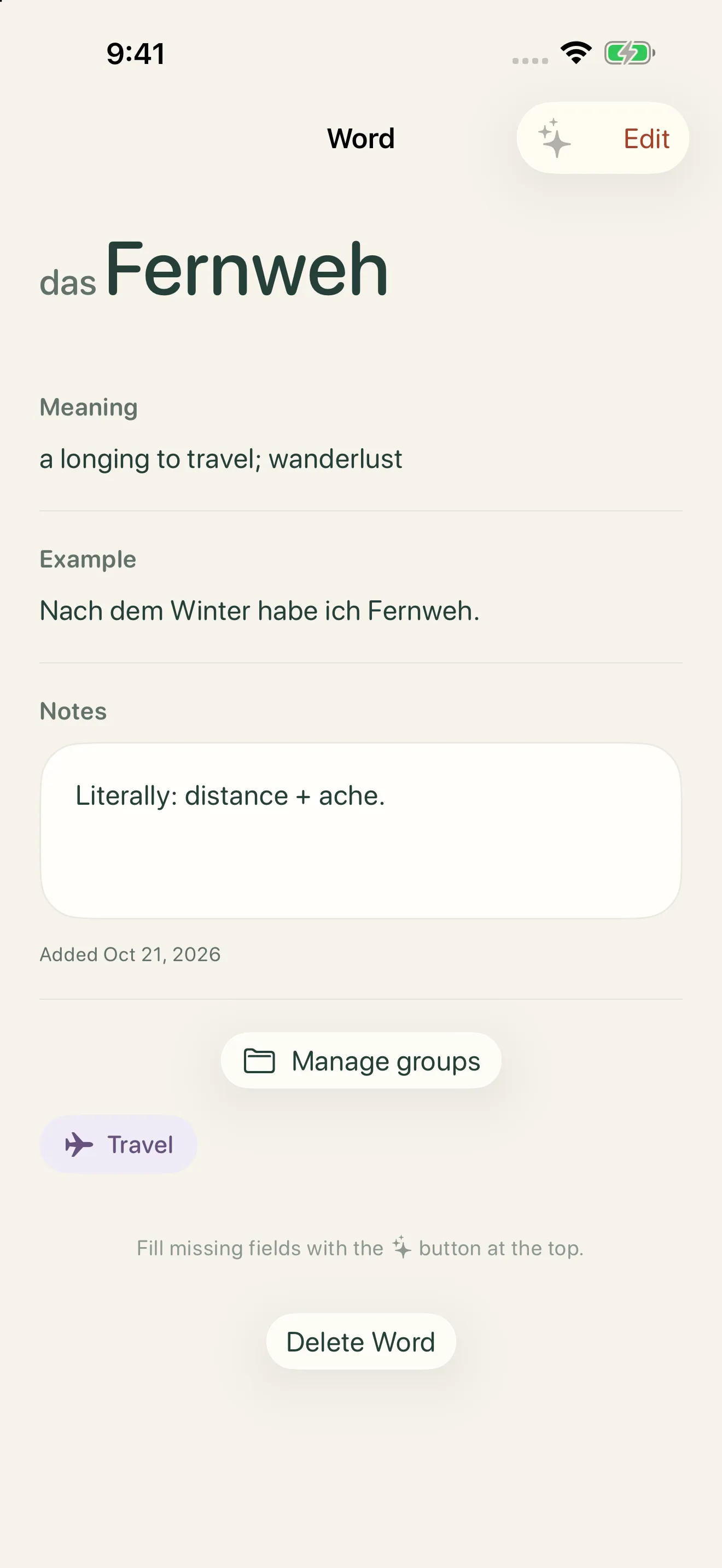
- Tap to add the meaning, reading (こもれび), and an example.
- Save it, optionally into a group like “Nature.”
In LingQ
- Open or import a lesson that contains the word.
- Tap the word while reading.
- Choose a meaning, and save it.
Pasting a passage or photographing a page saves even more time. Adsonant finds the words in the text and turns them into their dictionary forms, and you choose which ones to keep.
Where Adsonant Is Better
- Adding words is fast. Save a word in seconds, or pull many at once from pasted text or a photo.
- Details are filled in for you. One tap adds the translation, an example sentence in the language you’re learning, pinyin for Chinese, hiragana for Japanese, and articles for nouns.
- Words from anywhere. Capture words you meet in conversations, classes, menus, and signs, not just in texts you’ve imported.
- Groups for your interests. Sort words into groups like “Travel” or “Cooking,” and review one group at a time.
- Spaced repetition and progress you can see. Adsonant schedules reviews with FSRS, and shows your total words by language, growth over time, and review history.
Where LingQ Is Better
- Learning from real content. Read and listen to articles, books, podcasts, and videos at your level.
- A large lesson library. Start reading right away, without finding your own material.
- Listening built in. Many lessons come with audio, so you can read along.
- More languages. LingQ supports 50+ languages, compared with Adsonant’s six.
- Web access. Study in a browser as well as on iPhone and Android.
Using Adsonant and LingQ Together
Adsonant and LingQ fit together well. Save the words you meet away from the screen, in conversations, classes, and around town, in Adsonant, and use LingQ for reading and listening practice.
Which Should You Choose?
Choose Adsonant if you…
- meet new words in books, shows, classes, or conversations
- want translations and readings added for you
- learn Chinese, French, German, Italian, Japanese, or Spanish
- use an iPhone or iPad
Choose LingQ if you…
- learn mainly by reading and listening
- want to import articles, videos, and books
- are past the beginner stage
- learn a language Adsonant doesn’t support
Frequently Asked Questions
Is LingQ free?
LingQ’s free plan lets you save 20 words in total and import 5 lessons. Premium removes those limits and adds flashcard quizzes.
Can I save words from what I’m reading in Adsonant?
Yes. Paste a passage or take a photo of a page, and Adsonant picks out the words and turns them into their dictionary forms, so you choose which ones to keep.
Is Adsonant free?
Adsonant is free for small collections. As your collection grows, a paid subscription keeps it growing. See the App Store listing for current plans.
Does Adsonant use spaced repetition?
Yes. Adsonant schedules reviews with FSRS, a modern spaced repetition algorithm. You can also review by group or practice your most recent words.
Does Adsonant work on Android or a computer?
Not yet. Adsonant is available for iPhone and iPad, and syncs between them with iCloud.
More Comparisons
- Anki alternative: Adsonant vs Anki
- Memrise alternative: Adsonant vs Memrise
- Quizlet alternative: Adsonant vs Quizlet
- Pleco alternative: Adsonant vs Pleco
- Duolingo alternative: Adsonant vs Duolingo
See all of them in our guide to the best vocabulary apps for language learners, or grab a free word list to get started.

Smart vocab tracking with Adsonant